
Make a highlight reel
Pick your best rallies and export a reel on your phone. Pro cuts it from your original video, up to 1080p at 60 fps, and the watermark is optional.
Free web beta · Coming to Android
Put your phone on a stand behind the baseline and film the match. ShuttleSense finds every rally, so you can watch the points back, fix any cut and share the good ones.
30 free analysis minutes every month. No card needed.
ShuttleSense marks where each rally starts and ends, across the whole match, so you can skip straight to the points.
One phone on a stand. No sensors and no special camera.
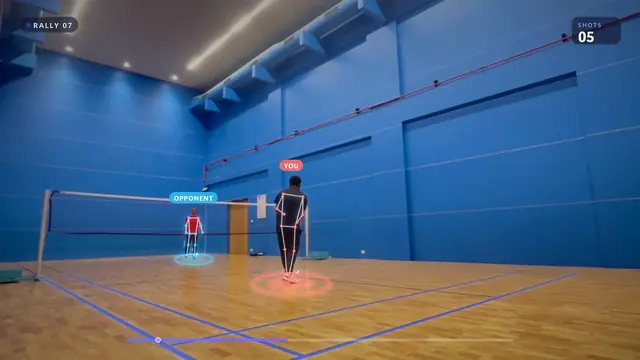
Tap a rally to watch it, and move its start or end if it's off.
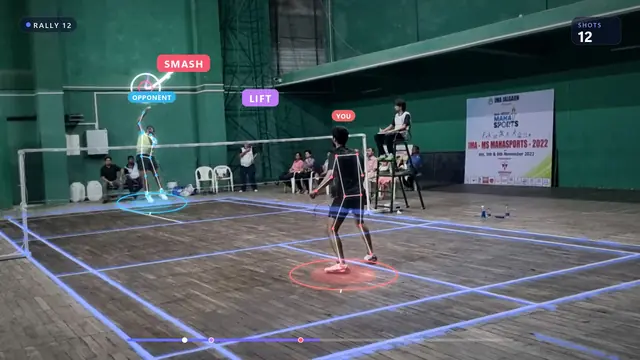
See how each match and player breaks down across serves, clears, drops, drives and smashes. Free shows a preview; Pro shows the full breakdown.
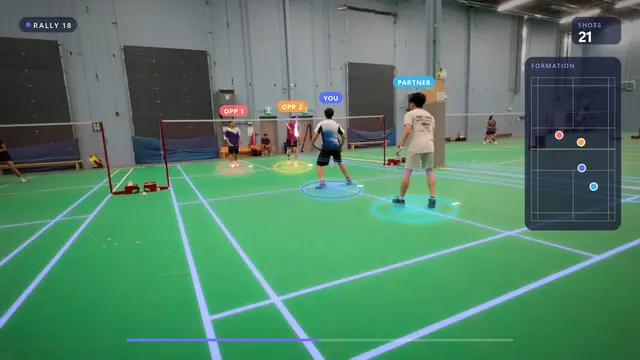
See where you and your partner stand through each rally, and who takes which shots.
Footage: The Shuttle Stream, Darpan Maheshgauri and HeartFlow Badminton (YouTube), CC BY. Analysis shown is illustrative.
Pick your best rallies and export a reel on your phone. Pro cuts it from your original video, up to 1080p at 60 fps, and the watermark is optional.
Say which when you upload. Both work from the same camera position behind the baseline.
ShuttleSense follows the shuttle from one hitter to the next, names each shot and keeps track of where all four players stand.
Short clips from our Rally Replay and Shot Check series. Each one is a real rally from a club or tournament match.
Choose singles or doubles, then pick the part of the video you want analysed. Leave out the warm-up and the chat between games.
Longer videos take longer. Once the upload has finished you can leave the app; your match will be waiting when it's done.
Go through your rallies, fix any cut that's off and pick the best points for a reel to send your partner.
Jump between rallies in the app, and adjust a cut whenever you need to.
2 rallies19 seconds of selected play
Choose and export rallies on Free with a watermark. Pro cuts sharper reels from the original video on your phone, with optional watermark removal.
50 sample shots · match overview
Full match and player breakdowns with Pro. Free includes a preview.
The clearer the view, the better the results. A phone on a tripod is enough.
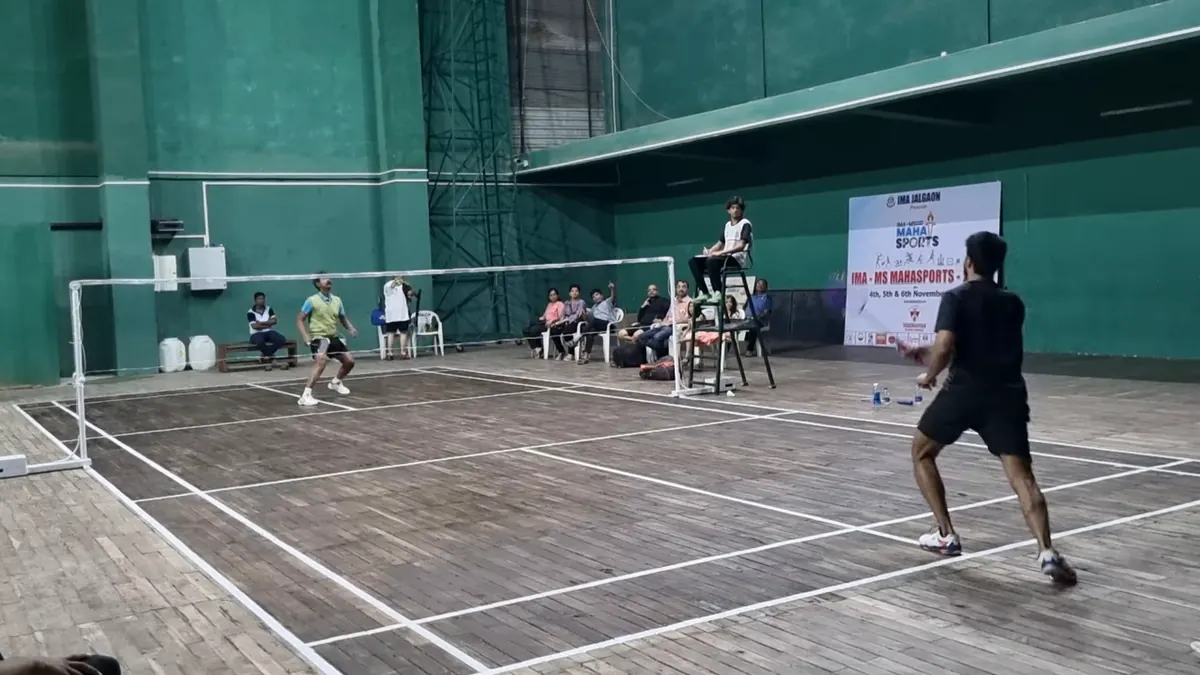
Angled across the court, both players in view.
Footage: Darpan Maheshgauri (YouTube), CC BY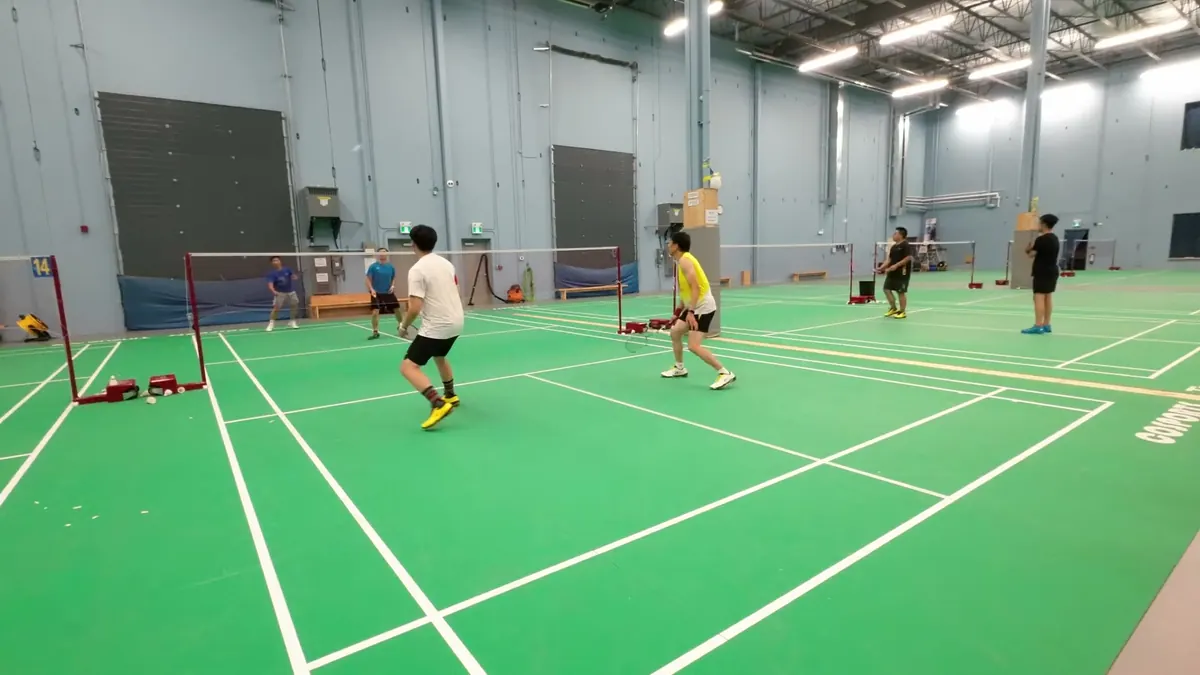
A tripod at head height works well too.
Footage: HeartFlow Badminton (YouTube), CC BY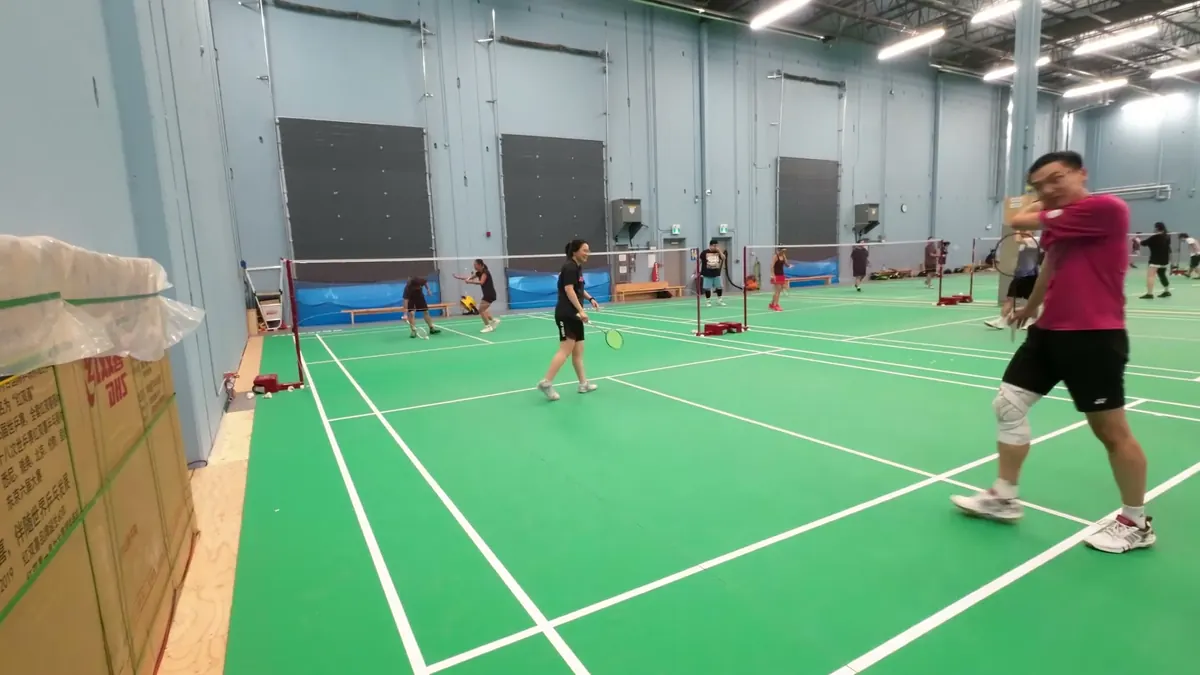
Boxes and people beside the camera hide the court.
Footage: HeartFlow Badminton (YouTube), CC BYStart free in the web beta. Pro is for players who film most weeks: more analysis time, longer videos and sharper highlights.
£0
A place to start. No purchase required.
30 min/month · 2 submissions/day · 1–10 min videos
£7.99/month
£59.99/year billed upfront · about £5/month
300 min/month · 10 submissions/day · Videos up to 2 hours
Each accepted analysis uses at least 3 monthly minutes. Daily submission limits reset on the UTC day.
UK reference prices. In billing-enabled iOS and Android releases, Pro is a monthly or annual auto-renewable subscription through the Apple App Store or Google Play. Availability varies by release, region and store. Your store shows the final localised price, tax, billing period and renewal terms before purchase. This website does not sell subscriptions.
Every accepted analysis uses at least 3 monthly minutes. Daily submission limits reset on the UTC day. Highlights you download or save to your phone stay under your control.
| Feature | Free | Pro |
|---|---|---|
| Analysis minutes / month | 30 | 300 |
| Analysis submissions / UTC day | 2 | 10 |
| Accepted video length | 1–10 min | Videos up to 2 hours (1 min minimum) |
| Minimum allowance used | 3 min / analysis | 3 min / analysis |
| Analyses at once | 2 | 2 |
| Highlight quality | 720p / 30 fps | Up to 1080p / 60 fps |
| Highlight watermark | Always | Optional |
| Source-video retention | 7 days | 30 days |
| Pinned videos (kept past expiry) | — | Up to 10 |
| Highlights saved to your cloud library | Kept 7 days | Kept while Pro is active · 30 days to download after the paid term |
| Cloud library limit | 200 highlights | 200 highlights |
| Shot classification | Preview | Full match & player breakdowns |
| Purchase terms | No purchase required | Monthly or annual · App Store / Google Play |
No. Film with a phone or camera from behind the baseline, with the whole court in frame. Use a tripod or another stable mount. No sensors or dedicated camera rig required.
A fixed camera, good lighting and one court per video. Handheld footage that pans around, side-on angles, very dark halls or a court cut off by the frame make the results less reliable. See how to film your match.
Yes. Singles and doubles are both supported. Choose singles or doubles when uploading your video.
It depends on the length of the video and how busy the service is. Wait for the upload to finish; after that you can leave the app and come back when your match is ready.
It isn't perfect, and how well it does depends on how the match was filmed. A still camera behind the baseline, with the whole court in view and decent light, gives the best results. Handheld footage, side-on angles, dark halls or people standing in front of the camera make it more likely to miss a rally or cut one in the wrong place. You can fix any cut yourself.
Yes. Review the suggested cuts, then add a missed rally, adjust its start or end, or remove a rally you don't need.
The Android app is coming soon. Until then, the free web beta works in the browser on your phone or computer. Leave your email and we'll tell you when the app is out.
The web beta runs in recent versions of Chrome, Edge, Firefox and Safari, on a phone, tablet or computer. Keep the page open until your upload finishes; after that you can close it and come back when your match is ready.
Free accepts up to two analysis submissions per UTC day and 1–10 minutes of selected footage per video. Pro accepts up to 10 submissions per UTC day and videos up to 2 hours (1-minute minimum), within its 300-minute monthly allowance. Uploads have a 2 GiB file-size limit. Both plans can run up to two analyses at once, and every accepted analysis uses at least 3 minutes from the monthly allowance. The app prepares and uploads one local video at a time, then lets you submit another while the first analysis continues.
In billing-enabled iOS and Android releases, Pro is offered through the Apple App Store or Google Play as a monthly or annual auto-renewable subscription. £7.99/month and £59.99/year are UK reference prices; availability and final localised pricing depend on your release, region and store. The Free plan remains available, with no separate subscription trial, top-up product, advertising or Coach plan.
Cancel in the store you subscribed through: Apple subscriptions for the App Store, or Google Play subscriptions. Pro normally stays on until the end of the period you've already paid for. Deleting your ShuttleSense account doesn't cancel the subscription, and cancelling isn't a refund: see our refund policy.
Your pins are removed and each video you had pinned is kept for 30 more days. After that it expires like any other video. Your rallies, stats and corrections stay with the match.
Everyone filmed must agree to being recorded and analysed, and you confirm this each time you upload a video. ShuttleSense is for ages 16+. Read more about filming consent.
Encrypted and stored with reputable cloud providers. Source videos expire independently after 7 days on Free or 30 days on Pro. Pro can pin up to 10 videos to keep them past expiry. Highlights saved to your cloud library are kept for 7 days on Free, or for as long as Pro is active; if you cancel Pro, you have 30 days after the paid term ends to download them. Your cloud library holds up to 200 highlights. Copies you download or save to Photos or your gallery stay under your control.
Yes. You can permanently delete an individual cloud highlight, delete a match and its associated cloud highlights, or delete your whole account. Cloud deletion cannot remove a copy you already downloaded or saved to Photos or your device gallery.
Use Settings → Delete account in the app. You can also read the signed-out instructions on our Delete your account and data page.
The web beta is free and runs in your browser. The Android app is on its way.
Open the web betaWe'll email you when ShuttleSense is out on Android.
Only launch news, nothing else. To unsubscribe any time, reply to any email from us or email us. See our privacy policy.
You're on the launch-news list. We'll email you when ShuttleSense is out on Android.